|
Introduction |
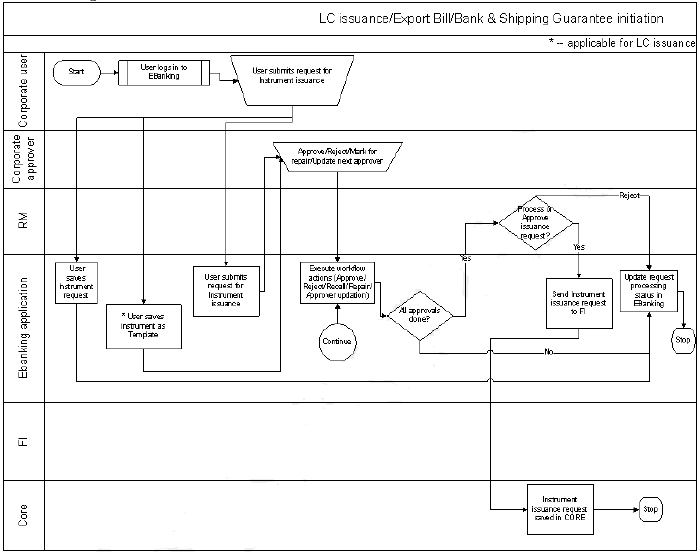
Corporate User can initiate for LC issuance by providing appropriate details, which will be passed on to the back end host for necessary updations. Note: When the user clicks initiate LC issuance request, the screen has a placeholder for providing options to the user to understand how to initiate a LC Issuance request. Analytics identifies that the customer has selected LC Issuance request for the first time and displays appropriate content from content management. Solution recognizes that the customer is using this complex functionality for the first time and prompts to help the customer. Such events and frequency (customer accessing a feature for the xth time Or customer accessing a feature after x days) are configurable. The options available are:
On click of these options, the content management system displays the text based tutorial or video file based on the user’s selection in a new screen. |
|
Navigation |
|
|
|
The user has to provide details under the following tabs for issue of LC |
Process Flow Diagram: